AdventureTechPro FAQ — Your Off-Road Navigation Questions Answered
Before You Buy
Garmin and Trail Tech lock you into their own mapping software. When you use ATP, you run the apps you already own on an open Android platform — your routes and subscriptions come with you.
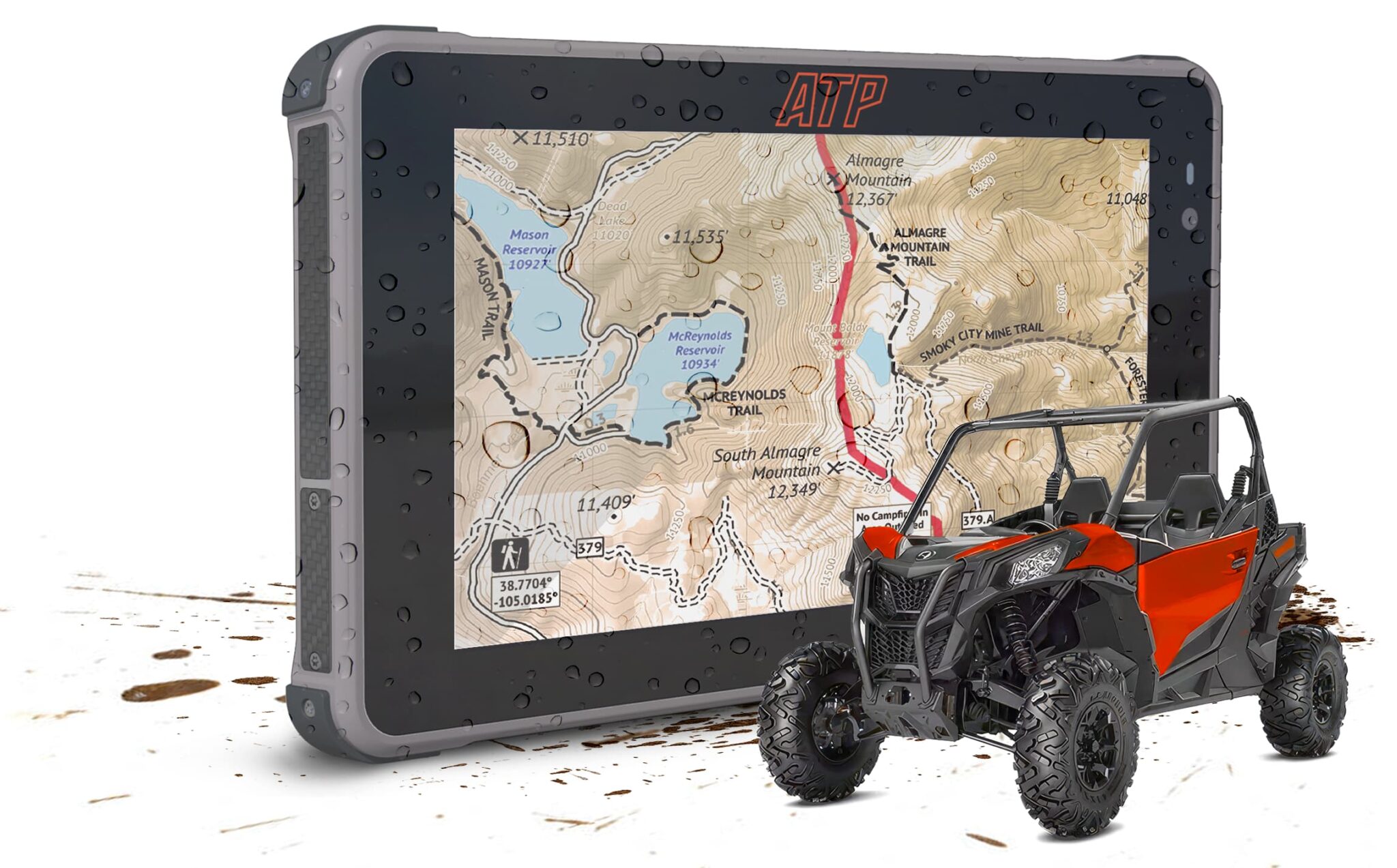
On hardware, the ATP navigation system has a 7" display at 2,600 nits of brightness. Garmin Tread (the powersports-specific unit) is a 5.5" display at approximately 1,000 nits. The brightness difference is meaningful in open-cab UTV and motorcycle riding conditions where direct sunlight is unavoidable.
ATP also delivers a complete installed system — the Pro Pack and vehicle-specific kits include mounting hardware and a hardwire power supply. Garmin sells the GPS unit; mounting and power are separate purchases.
Both kits include the same ATP navigation system hardware. The difference is in the installation hardware:
The Starter Kit ($799) includes the navigation system, cables, and adapters — for riders who already have a mount solution, want to test the system before committing to a permanent installation, or plan to move the device between multiple vehicles.
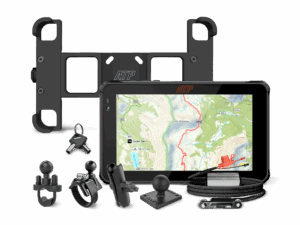
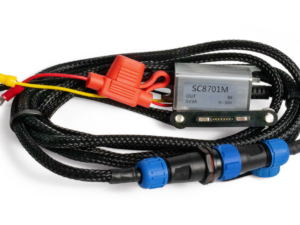
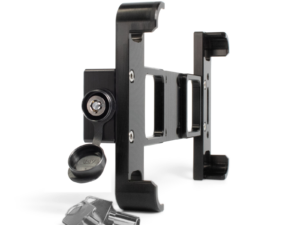
The Pro Pack ($949) adds a locking AMPS-pattern mounting plate, a DC-DC hardwire power supply, and RAM mounting hardware — everything needed for a permanent, secured installation. The Universal Mounting Plate ($240) and Power Supply ($100) are $340 if purchased separately; the Pro Pack bundles them with the Starter Kit for $150 more.
The ATP navigation system mounts via the AMPS-pattern interface, compatible with RAM Mounts and most major off-road mounting systems — making it adaptable to UTVs, ATVs, Jeeps, motorcycles, and overland vehicles.
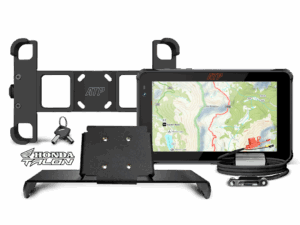
Vehicle-specific kits are available for Honda Talon (custom-fit bracket) and BMW GS/RT/XR motorcycles with Navigation Prep (WunderLINQ integration). For other vehicles, the Pro Pack's universal RAM hardware works with any tube, bar, or clamp-compatible surface.
- Navigation system (tablet): 24-month manufacturer defect warranty
- Battery: 12-month manufacturer warranty
- Accessories (mounts, cables, power supply): 3-month warranty
- Warranty excludes misuse, neglect, or unauthorized modifications
- Water damage is not covered under warranty (see water resistance note below)
The ATP navigation system carries an IP68 rating, which is achieved under controlled laboratory conditions. In real-world use, water resistance is affected by water pressure, temperature, contaminants, and the product's usage history. The system is designed for rain and trail conditions — splashing, mud, and light rain are handled well. Submersion is not recommended and water damage is not covered under warranty. This is consistent with how all IP68-rated devices are handled across the industry, including products from major consumer brands.
No. The ATP system charges at 5V/2A (10W) via USB-C or magnetic charging — a full charge from empty takes approximately 4 hours with a 7,000mAh battery.
Fast charging chemistry is not compatible with the ATP system's operating temperature range of -20°C to 55°C (-4°F to 131°F). Extending temperature range for outdoor reliability is the design priority. On a permanent vehicle installation with the hardwire power supply, continuous charging makes charge speed largely irrelevant.
Kit Contents
- ATP Navigation System (Android 13 pre-loaded)
- User Manual
- USB-A/USB-C Cable
- 12V to USB-A Adapter
- Magnetic USB-A/Pogo-Pin Cable
- SIM Card Tool (screwdriver)
- SD Card Ejection Pin
Everything in the Starter Kit, plus:
Mounting System
- Locking Universal Mounting Plate (AMPS pattern) — 6061-T6 anodized aluminum, barrel-key anti-theft lock
- 2 Barrel Keys
- RAM U-Bolt Bar Mount
- RAM Strap Hose Clamp Mount
- RAM Short Arm
- RAM Ball-to-AMPS Adapter
- Security nut & bolt + tamper-resistant tool
- Flanged button head screw, stop nut, and 2.5mm hex wrench
Power System
- DC-DC 12V to 3V–5V Hardwire Power Supply
- ATP Navigation System (Android 13 pre-loaded)
- Custom Honda Talon Tablet Mounting Bracket
- Locking Universal Mounting Plate (AMPS pattern) + 2 Barrel Keys
- DC-DC 12V to 3V–5V Hardwire Power Supply
- USB-A/USB-C Cable, 12V to USB-A Adapter, Magnetic USB-A/Pogo-Pin Cable
- SIM Card Tool, SD Card Ejection Pin, User Manual
- ATP Navigation System (Android 13 pre-loaded)
- WunderLINQ Hardware (plug-and-play BMW Navigation Prep connector)
- Locking Universal Mounting Plate (AMPS pattern) + 2 Barrel Keys
- USB-A/USB-C Cable, 12V to USB-A Adapter, Magnetic USB-A/Pogo-Pin Cable
- SIM Card Tool, SD Card Ejection Pin, User Manual
Technical Specs
7-inch FHD display (1920×1080 resolution) at 2,600 nits brightness. Touchscreen with support for use in gloves or rain. Screen rotation supported — the device can be used in landscape or portrait orientation.
Built-in multi-GNSS receiver supporting GPS, GLONASS, Beidou, AGPS, and SBAS. Position accuracy is approximately 2.5 meters. The GPS chip outputs at 1Hz (one position update per second). Navigation operates fully offline — no cell signal or phone connection required.
The ATP navigation system has been tested to MIL-STD-810G standards for drop, shock, and vibration. It does not hold formal MIL-STD-810G certification from the U.S. Department of Defense — that certification is not available for products manufactured in China. The testing methodology, however, follows the MIL-STD-810G specification.
- 8GB RAM
- 128GB internal storage
- MicroSD expansion up to 1TB (Micro SD / T-FLASH format)
- SIM card configuration: dual Nano SIM + MicroSD — supports 2 of the 3 slots simultaneously
- Full-band 4G LTE (with SIM card)
- Dual-band Wi-Fi 2.4GHz / 5GHz
- Bluetooth 5.0
- USB-C port
- Magnetic Pogo-Pin port
For wired internet: connect via a USB-C to Ethernet adapter.
7,000mAh battery. Estimated full-day navigation use on a single charge under normal conditions. Charging time from empty: approximately 4 hours at 5V/2A. Both USB-C and magnetic charging ports support 5V/2A.
Troubleshooting
Two methods: (1) Manually adjust brightness in Settings → Display → Brightness. (2) Enable Ultra-High Brightness Mode or Adaptive Brightness Mode in display settings for automatic adjustment.
Contact ATP Support at Sales@ATPrugged.com or call (719) 492-4646.
Download firmware and update instructions from: https://drive.google.com/drive/folders/1RHv-gjDzzi_CgaTtDxUkDUN9VPCsEKwb
Important: Firmware updates erase all data on the device. Back up all routes, waypoints, and app data before updating.
Press the reset button to force the device to shut down, then power it on normally. Recovery Mode is exited automatically on reboot.
This is typically caused by a third-party USB-C cable with metal contacts that are too short for the ATP port depth, causing intermittent contact. Use the original magnetic cable or a USB-C cable confirmed compatible with the ATP device.
Power off the device immediately. Place it in a well-ventilated, dry area and allow it to air-dry naturally. Do not charge or power on the device until it has fully dried. Do not use heat (hair dryer, direct sun) to accelerate drying.
Go to Settings → Network & Internet → Wi-Fi → Advanced Settings, and disable the "Network portal detection" option.
Try using the magnetic Pogo-Pin charging port as an alternative. If the magnetic port charges the device but USB-C does not, the USB-C charging IC may need service. Contact ATP support at Sales@ATPrugged.com or call (719) 492-4646.