Overlanding navigation has gotten serious. The community has moved past “phone on a RAM mount” faster than almost any other off-road segment, and the options for dedicated overland navigation hardware have expanded accordingly.
The question isn’t whether you need a dedicated navigation device — if you’re running multi-day routes in the American West, Alaska, or Baja, you do. The question is which hardware actually holds up to overland conditions, which apps work best, and whether the tablet-in-a-case approach is worth the compromises.
This comparison covers the leading options honestly — what each is built for, where it earns its price, and what it can’t do.
What Overlanding Demands from Navigation Hardware
Overlanding creates a different stress profile than a single-day UTV trail ride. The conditions aren’t necessarily more extreme — but they’re sustained longer and across more varied environments.
Duration. An overland trip runs days, not hours. A device that handles six hours fine may not handle six days of continuous UV exposure, temperature cycling, and vibration. Thermal tolerance over multi-day operation matters more than peak-condition specs.
Environmental variety. An overland route might start in Colorado high country at 11,000 feet, drop into a high desert valley at 5,500 feet, cross a river ford, and camp in a forest. The navigation hardware needs to handle all of it — altitude, temperature swings, dust, water exposure, and sustained solar load.
Storage requirements. Pre-downloading maps for a multi-state overland route is different from downloading one riding area before a trail day. A Baja overland trip requires several gigabytes of offline maps. Alaska Highway coverage is larger. Storage and download management become real considerations.
Power independence. Some overlanders run solar setups with 12V house batteries. Others are running from the vehicle’s standard electrical system. The navigation device needs to integrate cleanly with whatever power setup the build runs.
The Options Worth Considering
Purpose-Built Powersports Navigation Tablets
ATP Rugged — The Complete System
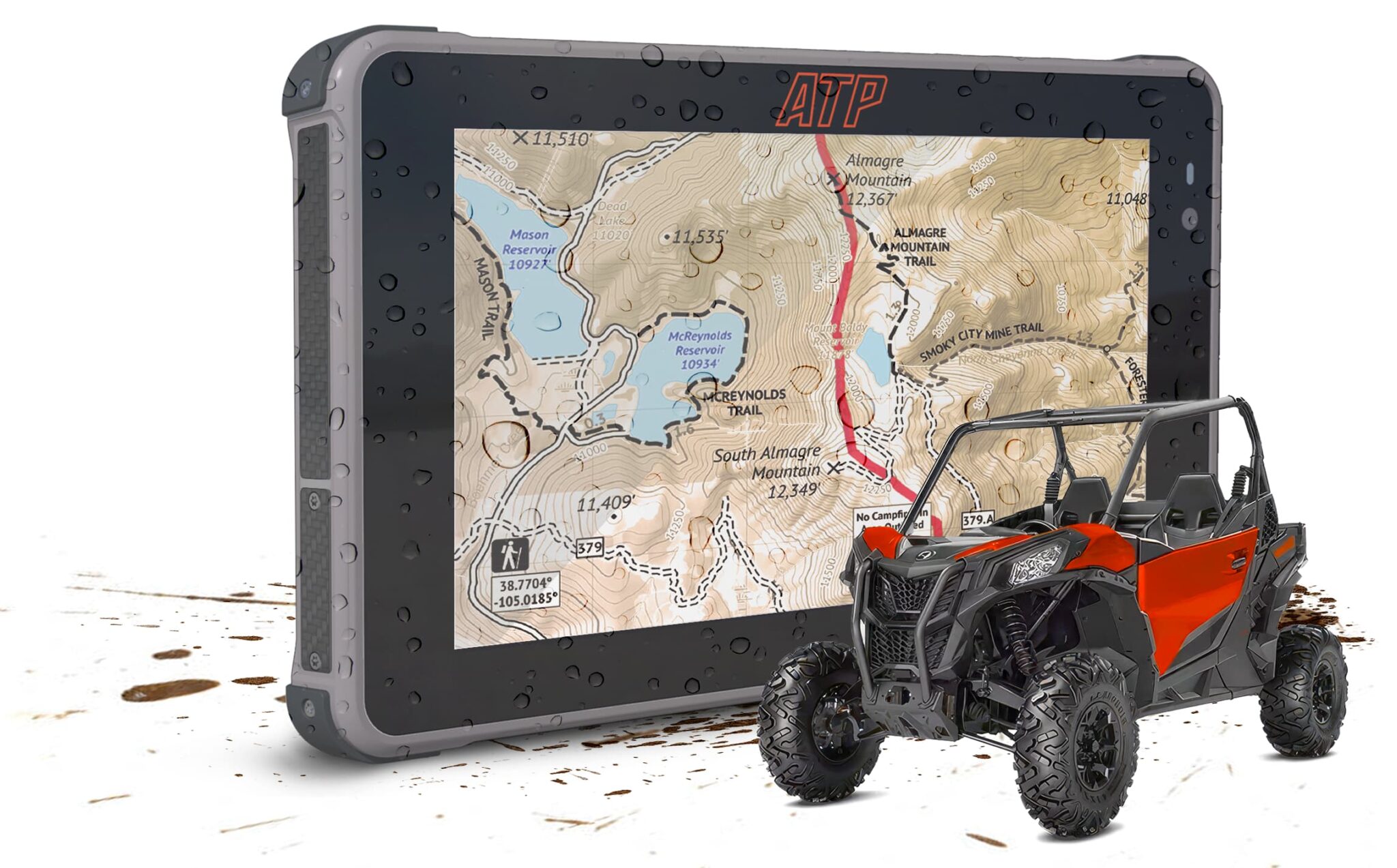
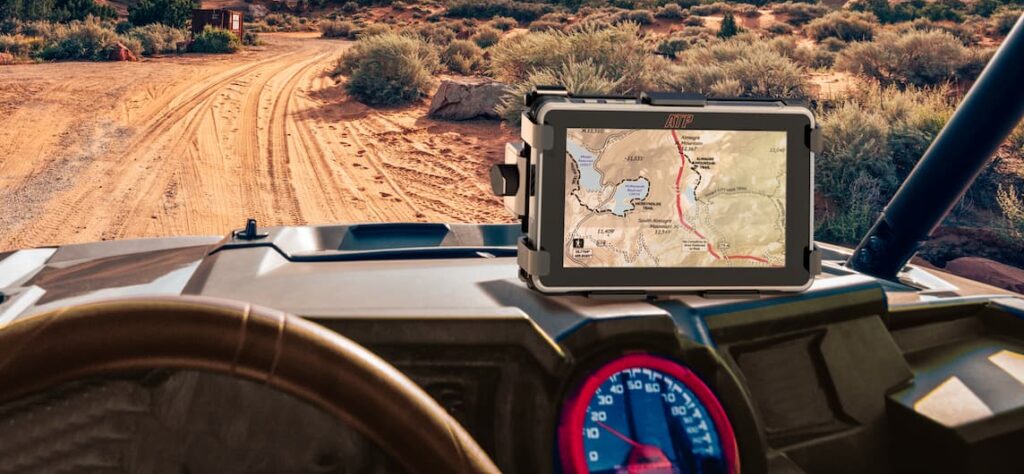
The ATP Rugged tablet is the only option in this category designed as a complete vehicle navigation system specifically for powersports and off-road vehicles. It’s worth understanding what “complete system” means here: the tablet, the AMPS-pattern vibration-rated mount, the hardwire power cable, and the security hardware are packaged together and engineered to work together. Not a tablet you adapt for overlanding — a navigation system you install.
Specs relevant to overlanding: 2,600-nit display (the highest brightness in the category), IP68 rated, MIL-STD-810G certified, built-in multi-GNSS GPS for offline positioning without phone or cell connection. Runs Android with Google Play — onX Offroad, Gaia GPS, Backcountry Navigator, and any other app you prefer install normally.
The honest limitation: the ATP was designed with UTV and powersports vehicles as the primary platform, and its vehicle-specific kits (Honda Talon, BMW WunderLINQ) reflect that. For overland truck integration, you’re using standard AMPS mounting hardware rather than a vehicle-specific bracket — which works fine but requires a bit more configuration than the UTV kits.
Best for: Overland rigs where the driver wants the best sunlight-readable display available, wants to run their existing app stack (onX or Gaia), and wants the system to hardwire cleanly into the vehicle’s accessory circuit.
See the ATP Pro Pack — the navigation system built to run with your overland rig
Garmin Tread 2 — Overland Edition
Garmin’s Overland Edition of the Tread 2 is the premium dedicated GPS option for overland navigation. At $999.99, it’s a significant investment — but it earns its price in specific scenarios.
What it does well: preloaded topographic maps that work out of the box, satellite imagery, Garmin’s off-road routing algorithm, and inReach satellite communicator integration for two-way messaging and SOS capability. If you’re going somewhere genuinely remote and want satellite communication in the same system as your navigation, the Tread 2 + inReach combination is the most integrated option available.
The ecosystem tradeoff applies here as it does everywhere in Garmin’s product line: you’re navigating inside Garmin’s world. The BirdsEye satellite imagery, the adventure routing, the trail database — all excellent and all proprietary. Riders who’ve built their route library in onX or Gaia don’t get to bring that data.
Best for: Overland trips where satellite communication is a priority, or for overlanders who prefer a dedicated device with no Android configuration required.
iPad Pro with ARMOR-X or Waterproof Case
The consumer tablet approach. An iPad Pro in a rugged case can do what any Android navigation app requires — Gaia, onX, and Backcountry Navigator all have iOS versions. The screen is excellent indoors and in shade.
The problem is direct sun. Peak iPad brightness is around 1,600 nits in high-brightness mode. At sustained operation during a day of off-road travel with direct sun on the windshield, it drops back to conserve battery. In full midday sun — common in the Southwest and Baja — the iPad in a case is a step down from a purpose-built outdoor display.
Vibration management is also a genuine concern. A case protects from drops. It doesn’t dampen the sustained mechanical vibration of an overland rig on corrugated roads or rocky terrain, which affects display connections and long-term reliability in ways that case protection doesn’t address.
Best for: Budget-conscious builders who already own an iPad and are doing shorter overlanding routes with moderate sun exposure.
Samsung Galaxy Tab Active Series
Samsung’s rugged-ish tablet line has become more common in overlanding rigs. The Tab Active4 Pro and Active5 run Android, which means full navigation app compatibility, and they carry IP68 ratings. Samsung’s display brightness tops out around 500–800 nits depending on model — functional in overcast conditions, limited in direct southwest sun.
The mounting situation is the same challenge as the iPad: consumer form factor, no AMPS compatibility out of the box, aftermarket adapter required. Long-term vibration tolerance is better than a consumer tablet in a case, but not engineered for powersports vibration levels.
Best for: Overlanders who want Android app flexibility on a budget and do most of their travel in the Pacific Northwest or other lower-sun environments where display brightness is less critical.
Head-to-Head Comparison
| Category | ATP Rugged | Garmin Tread 2 Overland | iPad Pro + Case | Samsung Tab Active5 |
| Display Brightness | 2,600 nits | Not published (“ultrabright”) | ~1,600 nits peak | ~500–800 nits |
| IP Rating | IP68 | IPX7 | None (case-dependent) | IP68 |
| MIL-STD | 810G | 810 | No | 810H |
| GPS Type | Multi-GNSS standalone | Standalone | A-GPS (phone-assisted) | A-GPS |
| App Ecosystem | Android / Google Play | Garmin proprietary | iOS | Android / Google Play |
| Mount System | AMPS-compatible, purpose-built | Vehicle-specific Garmin | Aftermarket required | Aftermarket required |
| Complete System | Yes | Yes | No | No |
| Price Range | $949.00 | $999.99 | $800+ (device + case) | $650–$750 |
| Design Target | Powersports / Overlanding | Off-road vehicles | Consumer | Field service |
The Storage Question for Multi-Day Overlanding
A week-long overland route across multiple states requires significantly more offline map storage than a single-day UTV ride. Here are practical numbers for planning.
A full-state download in Gaia GPS at medium detail runs 1–3 GB. A high-detail satellite imagery overlay for a single state adds another 1–2 GB. A Baja California Norte + Sur download for a full Baja trip runs 3–5 GB at medium detail.
For a 10-day trip crossing three states with Gaia at high detail plus satellite imagery: budget 10–15 GB of offline map storage.
The ATP Rugged tablet’s onboard storage handles this — confirm available space before major download sessions and clear unused regional downloads between trips. For trips requiring very large offline map libraries, external storage expansion is worth planning for.
What the Overlanding Community Is Actually Running
The forum-honest answer: serious overlanders are splitting between Garmin Tread with inReach and Android tablet setups running Gaia GPS. The dividing factor is almost always satellite communication. Riders going into Alaska, Baja’s more remote sections, or other genuinely isolated terrain often stay in the Garmin ecosystem for inReach integration. Riders doing the American Southwest, mountain west, and moderately remote routes increasingly run Gaia on a rugged Android tablet for the screen size, app flexibility, and cost-per-capability comparison.
The “consumer tablet in a case” approach is most common among newer overlanders who haven’t yet had the heat or vibration failures that push riders toward purpose-built hardware. It works until it doesn’t, and experienced overlanders tend to move away from it after a trip where it failed at the wrong moment.
Frequently Asked Questions
What’s the best rugged tablet for overlanding?
For overland rigs where display readability in direct sun is the priority, the ATP Rugged tablet (2,600 nits, IP68, MIL-STD-810G, Android with Google Play) is the strongest performing purpose-built option in the category. For overlanders who want integrated satellite communication, the Garmin Tread 2 Overland Edition ($999.99) with inReach pairing is the most complete dedicated GPS setup.
Is Gaia GPS good for overlanding?
Gaia GPS is widely considered the strongest navigation app for multi-day overlanding in the U.S. It has the deepest topographic data available, excellent GPX handling for imported routes, and reliable offline map coverage for remote terrain. The Premium subscription is required for offline downloads. See [How to Set Up Offline Maps for Trail Riding] for the download walkthrough — the same process applies to overlanding regional downloads.
How do I power a navigation tablet on an overland rig?
Hardwire a fused Pogo Pin cable to your vehicle’s switched accessory circuit, or to your auxiliary battery system if your build runs a dual-battery or solar/lithium house bank. The ATP Pro Pack hardwire cable is rated for continuous use at full brightness. If you’re running a solar setup with a 12V accessory output, the connection is the same — confirm the circuit can handle the tablet’s charge draw during peak navigation use.
Is a tablet or a Garmin better for Baja overlanding?
Depends on your communication priorities. For Baja specifically, satellite communication via Garmin inReach is a meaningful safety consideration on the more remote peninsular routes — the Garmin Tread ecosystem supports this natively. If you’re running a separate inReach device (inReach Mini 2, for example), it works alongside any navigation setup including a tablet, so the communication advantage applies regardless of which navigation hardware you choose.
Can I use an iPad for overlanding navigation?
Yes, with limitations. iOS versions of Gaia GPS and onX Offroad work well. The primary limitation for serious overlanding is display brightness — an iPad Pro peaks around 1,600 nits in high-brightness mode and dims in sustained direct sun. For cloudy environments and moderate sun exposure, it’s workable. For Southwest desert or high-elevation overlanding with consistent direct sun, a 2,600-nit display is a meaningful practical advantage.