UTVs have changed. The machine you’re riding today — whether it’s a Polaris RZR, Can-Am Maverick, Honda Talon, or Can-Am Defender — is more capable, faster, and goes further into backcountry terrain than anything that category produced a decade ago. The navigation setup most riders are running hasn’t kept pace.
Phones mounted on dashboards. Factory GPS units locked to one app. Dedicated GPS devices with 5-inch displays that show you the next half-mile of trail. These are first-generation solutions for a vehicle category that now routinely runs six-hour remote trail days, multi-day overland loops, and deep desert riding that puts you miles from cell service for hours at a stretch.
This guide covers what a modern UTV navigation setup actually looks like: the hardware that belongs on your dash, the apps that handle the terrain you’re riding, how to install it correctly, and what makes a tablet built for powersports different from anything else you could strap to your roll cage.
Why UTV Navigation Matters More Than It Used To
The UTV market’s growth trajectory tells the story. Side-by-sides now dominate the powersports accessories category. Riders are going further, faster, on more technical terrain. The social infrastructure around UTV riding — organized rides, group trail systems, GPS track sharing — assumes everyone has a working navigation system.
Three things changed the calculus on dedicated navigation hardware.
Trail systems got bigger. OHV parks and trail systems that used to run 30–50 miles of interconnected trails now run hundreds of miles. Getting turned around in a 30-mile system is an inconvenience. Getting turned around in a 200-mile system with no cell service is a problem.
Navigation apps got significantly better. onX Offroad and Gaia GPS have both invested heavily in UTV-specific trail data, offline map quality, and group ride features. These apps are now legitimately excellent navigation tools. Running them on a purpose-built display is the obvious next step.
Factory navigation isn’t keeping up. Some vehicles now ship with integrated GPS (Can-Am Maverick X3 2026, for example). These factory systems work — but they run proprietary software, can’t install third-party apps, and display on screens optimized for the instrument cluster, not navigation readability.
The gap between what the apps can do and what factory hardware lets you see is the business case for a dedicated navigation tablet.
The Core Hardware Decision: What Goes on Your Dash
Before picking any hardware, it helps to be clear on what you’re actually trying to solve.
If you want to run the navigation app your group uses, on a screen you can read at noon in direct sun, without babysitting your phone — you need a dedicated device. The options break into three categories.
Dedicated GPS units. Garmin’s Tread 2 SxS Edition ($999.99) is the premium option specifically designed for side-by-sides. Solid hardware, excellent mapping, group ride features, and pitch-and-roll sensors. Locked to Garmin’s software and map ecosystem.
Consumer tablets in protective cases. iPads and Android tablets in ARMOR-X or RAM cases. The screens are decent indoors. They overheat in direct UTV sun, the cases are bulky, and the mounting systems aren’t designed for sustained UTV vibration. This approach works until it doesn’t, usually at an inconvenient moment.
Purpose-built rugged tablets. Designed for the specific environmental conditions UTVs create: sustained vibration, direct sun, dust ingress, temperature extremes. The ATP Rugged tablet is the only option in this category built as a complete system — tablet, vibration-rated mount, hardwired power, security hardware — specifically for powersports vehicles.
The rest of this guide focuses on the third category, because it’s the one that produces a setup you install once and stop thinking about.
See the ATP Pro Pack — everything you need for a permanent UTV navigation installation
Understanding Display Brightness for UTV Use
The spec that matters most for UTV navigation is display brightness, measured in nits.
Standard tablets and most dedicated GPS units run at 300–700 nits. That range is workable in shade and marginal in direct midday sun. On a UTV, where the display is mounted in the cab and you’re riding in open terrain at noon in the desert or on high-country rock, “marginal” means squinting and guessing.
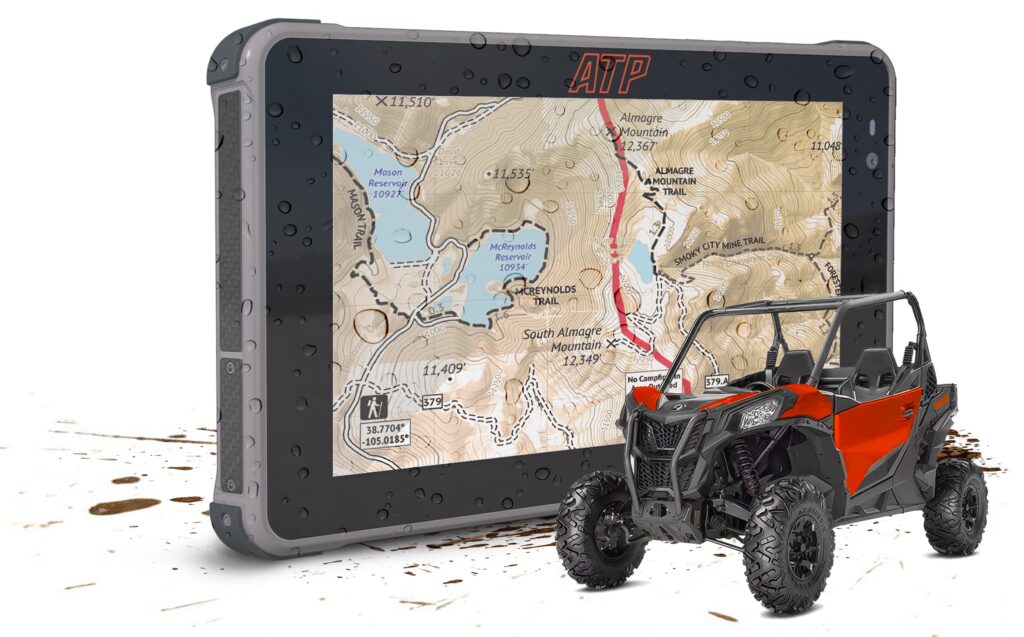
The practical threshold for clear, comfortable reading in direct sun is around 1,000–1,500 nits. The ATP Rugged display runs at 2,600 nits — the highest brightness in the powersports navigation category. At that level, you’re reading the trail map the same way whether you’re in shade or in full Glamis sun.
The Mounting System: AMPS Standard and Why It Matters
Every competent UTV navigation mount is built around the AMPS mounting pattern: a 30mm × 38mm bolt configuration. RAM Mount, Arkon, and essentially every quality aftermarket UTV mount brand uses it.
This matters for two reasons.
Interoperability. If you already have AMPS-compatible hardware in your UTV — a RAM ball mount, an existing bracket — the ATP mount cradle drops directly in. No adapters, no fabrication.
For complete step-by-step installation guidance, see How to Mount a Tablet in Your UTV.
Vehicle-Specific Configuration Guide
Every UTV has a different cab geometry. What mounts cleanly in a Honda Talon requires different hardware in a Can-Am Maverick X3. Here’s the practical overview by platform.
Polaris RZR
The RZR family — RZR XP 1000, RZR Pro R, RZR Turbo R — has a flat center dash section that accommodates a standard AMPS bracket mount cleanly. Most RZR configurations have space for a 7-inch tablet in the center or driver-side position without obstructing forward view or the steering column.
Power hardwire on the RZR taps cleanly into the accessory circuit through the dash wiring harness. Most RZR builds have been done this way, and the installation is well-documented in the RZR aftermarket community.
For the full Polaris RZR-specific setup, see Polaris RZR Tablet Setup: Mounting, Navigation, and Riding with Tech.
Honda Talon
The Talon 1000R and 1000X have a center dash section that works well for a 7-inch tablet in an AMPS mount. The Talon’s cab is narrower than an RZR or X3, which limits some mounting positions — a center mount works better than driver-side on most Talon configurations.
Honda’s electrical system on the Talon is clean and accessible for hardwire power. The accessory circuit is straightforward to tap.
For the full Honda Talon-specific setup, see ATP Rugged Tablet for Honda Talon.
Can-Am Maverick X3 and Maverick R
The X3’s tighter dash and more complex cab geometry makes roll cage mounting the preferred approach for most builds. A-pillar brackets are an alternative on 2-seat configurations. The 4-seat Maverick R has more cab space, but the cage geometry differs from the X3.
The X3 also ships with a factory GPS system on 2026 models (and the Maverick R on 2025 models) — a dedicated navigation tablet runs alongside this system without any conflict.
For specific Can-Am Maverick navigation guidance, see Can-Am Maverick Navigation Upgrade: Beyond the Built-In GPS.
Can-Am Defender
The Defender is the utility-focused platform in Can-Am’s lineup, and it attracts a different buyer profile — ranch use, work applications, heavy-duty utility. Navigation requirements are real but different from sport riding. The Defender’s cab has more space than the X3 and adapts well to center dash mounting.
Which setup fits your machine? See the Honda Talon guide or the Polaris RZR guide
Navigation Apps for UTV Riding: The Current Stack
The three apps that cover the full range of UTV navigation needs in 2026:
onX Offroad — The standard for serious UTV riders in the American Southwest and Rocky Mountain regions. Best trail coverage, best OHV-specific data, strong group ride sharing. Download offline maps by state or region before each trip. Annual subscription required for offline access.
Gaia GPS — Preferred for multi-day routes and terrain where topo depth matters more than trail database coverage. The best topographic data available in any navigation app for U.S. terrain. Works well alongside onX — onX for trail data, Gaia for topo when terrain gets complicated.
Backcountry Navigator Pro — The choice for riders who want USGS topo layers without a recurring subscription cost. Good offline coverage, slightly steeper learning curve, strong for remote terrain where trail databases don’t have coverage.
Power Setup: Hardwire vs. Adapter
This is the step most DIY installs get wrong, and the consequences show up slowly — a display that dims after two hours because the power cable can’t keep up with navigation’s battery demand.
Hardwired to the accessory circuit (correct approach): Connect a fused USB-C hardwire cable to the vehicle’s switched accessory circuit. The display stays at full brightness for the entire ride because the power input matches or exceeds navigation’s current draw. The ATP Pro Pack includes a hardwire cable rated for the tablet’s actual power requirement.
12V outlet adapter (acceptable workaround): Plug a USB-C adapter into a 12V outlet. Works, but the 12V outlet on most UTVs isn’t switched — it stays live when the vehicle is off, which can drain the vehicle battery if the tablet charges overnight. Also more vulnerable to vibration-loosening the connection.
USB-A adapter (undersized): Most USB-A adapters can’t deliver the current a navigation tablet needs at full brightness. The display will run, but the battery will drop through the day because power input is slower than navigation draw. Avoid.
Rugged Tablet vs. Phone: The Recap
For riders who haven’t made the switch from phone navigation, here’s the condensed version.
Phones overheat in direct UTV sun — typically within 30–60 minutes of continuous GPS navigation in high-temperature conditions. When a phone overheats, it throttles the processor, dims the display, and eventually shuts down. In a UTV running six-hour trail days, this is a certainty, not a risk.
Phones mounted on RAM mounts in UTVs develop mounting looseness over time from vibration. The USB-C connection is vulnerable to vibration-induced disconnection. The display, even at peak brightness, is less readable in direct sun than a 2,600-nit dedicated display.
The ATP Rugged System: What the Complete Setup Looks Like
The ATP Pro Pack is a complete navigation system, not a tablet with an accessory bag.
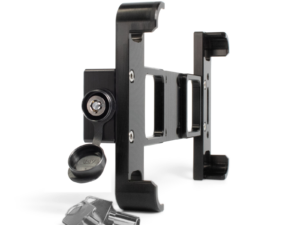
What’s included: The ATP Rugged tablet (2,600-nit display, IP68, MIL-STD-810G, built-in multi-GNSS GPS, Android with Google Play), AMPS-compatible vibration-dampened mount bracket, fused hardwire USB-C power cable, security cable with locking hardware.
What you add: Navigation apps (onX Offroad, Gaia GPS, or your preferred app — free download from Google Play).
What you can leave behind: The phone mount. The backup battery. The waterproof phone case that adds bulk but doesn’t solve the overheating problem.
The Starter Kit includes the tablet and basic cables — a good entry point for riders evaluating the system before committing to a full build. The Pro Pack is the complete vehicle integration package for permanent installation.
Frequently Asked Questions
What is the best tablet for a UTV?
The best UTV tablet is purpose-built for powersports conditions — sustained vibration, direct sun, and temperature extremes. The ATP Rugged tablet (2,600 nits, IP68, MIL-STD-810G, AMPS-compatible mount) is the only tablet in this category designed as a complete vehicle navigation system, not a repurposed industrial device. Consumer tablets and generic rugged tablets lack the brightness and powersports-specific mounting for serious trail use.
Can I use onX Offroad on a UTV tablet?
Yes. The ATP Rugged tablet runs Android with full Google Play access. Download onX Offroad, Gaia GPS, or any other navigation app directly. No software modifications required.
What mounting pattern do UTV tablet brackets use?
The AMPS standard — 30mm × 38mm — is the industry standard for vehicle-mounted devices and is used by RAM Mount, Arkon, and most quality UTV aftermarket brands. ATP’s mount kit is AMPS-compatible and works with existing AMPS hardware in your vehicle.
How do I power a tablet in a UTV all day?
Hardwire a fused Pogo Pin cable to the vehicle’s switched accessory circuit. This provides continuous power tied to the ignition — the tablet charges whenever the vehicle is running and cuts off when it’s not. The ATP Pro Pack includes a hardwire cable rated for the tablet’s power requirements.
Does a rugged tablet replace the factory GPS on my UTV?
It can, but it doesn’t have to. A dedicated navigation tablet runs independently on its own GPS receiver — it doesn’t connect to or interfere with factory navigation systems. Many riders run both, using the factory GPS for vehicle-specific features (like Can-Am’s Group Ride on the Maverick X3) and the tablet for full navigation with their preferred apps.
Is ATP Rugged compatible with Polaris RZR, Honda Talon, and Can-Am Maverick?
Yes. The ATP mount system uses the AMPS standard, which is compatible with all three platforms through standard aftermarket mount hardware. Vehicle-specific mounting recommendations vary by cab geometry — see the individual vehicle guides for Polaris RZR, Honda Talon, and Can-Am Maverick for platform-specific installation details.