The 2026 Can-Am Maverick X3 comes with a built-in GPS. That’s genuinely useful — more than most UTVs offer from the factory. But if you’ve spent time with it on a serious trail day, you’ve probably bumped into its ceiling.
The system runs BRP’s own software. Map downloads happen over Wi-Fi, which means you’re downloading at home or at the trailhead if you remembered to connect before you left. The app ecosystem is closed — you can’t switch to onX, pull up a Gaia GPS route a friend shared, or run a third-party trail layer. And the display is what it is: factory-spec, built for the dash, not optimized for noon sun in the dunes.
This post is for Maverick owners who want more than the baseline. Not because what came on the vehicle is bad — it isn’t — but because you’ve invested in a machine that deserves a navigation setup that matches what you’re doing with it.
What the Can-Am Built-In GPS Actually Does Well
Worth being honest here: Can-Am’s factory navigation has real strengths.
The 2026 Maverick X3 includes Group Ride capability with the updated GPS module, letting you see where your crew is on a shared map in real time. The BRP GO! app works reasonably well for casual trail riding and offers offline map downloads for the regions you plan ahead. It integrates natively with the vehicle’s digital display — no brackets, no extra cables, no installation.
For riders doing day rides with good pre-trip planning, it’s functional. The limitation shows up in three specific situations: when you’re running apps your riding group has already standardized on (onX is common in the Southwest, Gaia is common in the Northwest and on multi-day trips), when you’re on terrain that requires live rerouting rather than a pre-downloaded region, and when you want a larger display with better sunlight readability than the factory unit provides.
That’s the gap a dedicated navigation tablet fills.
The Case for a Dedicated Navigation Tablet in Your Maverick
Adding a navigation tablet to a Can-Am Maverick isn’t redundant — it’s complementary. The factory GPS keeps doing what it does. The tablet does what it was built for: a large, bright, Android-based navigation screen running whatever app you and your group already use.
Here’s why that matters in practice.
App freedom. Your riding group probably already has a navigation app they’ve invested in. A full season of onX waypoints, Gaia routes, trail notes from previous trips — all of that lives in the app, not on the factory GPS. A tablet brings that existing investment to your Maverick dash without asking you to rebuild it inside BRP’s software.
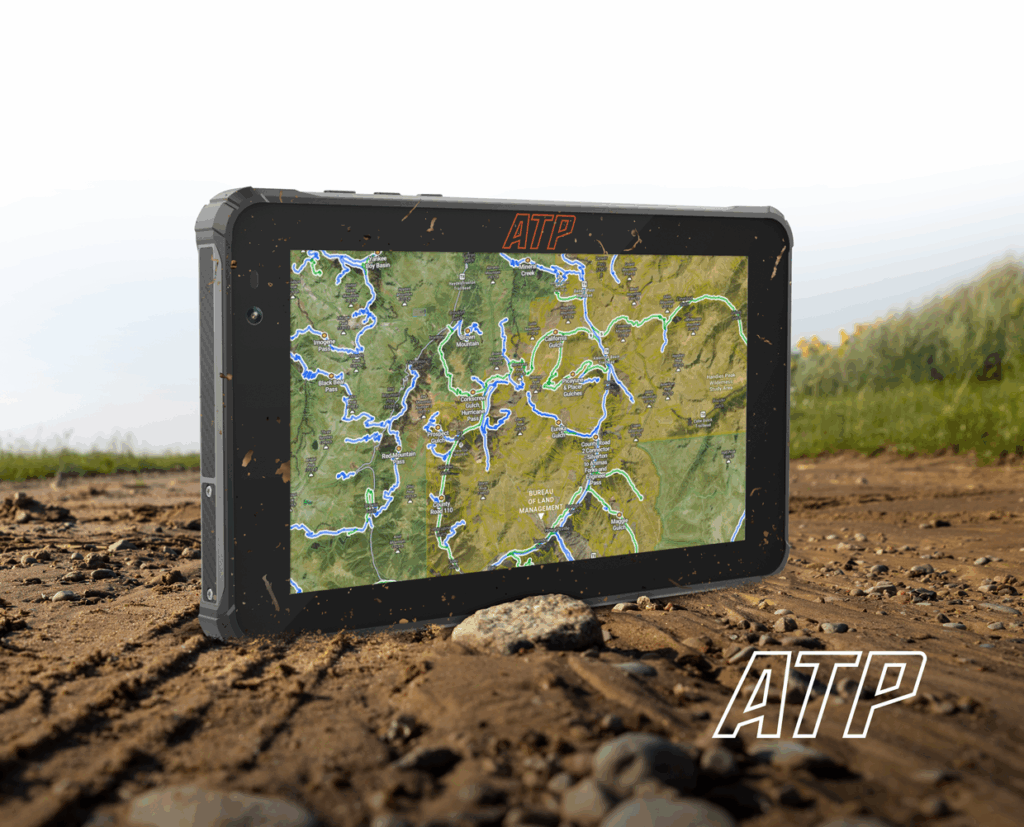
Display size and brightness. The factory display is sized for the instrument cluster. A dedicated 7 inch tablet in an AMPS-pattern mount gives you substantially more screen real estate for trail maps — and at 2,600 nits, the ATP Rugged display reads clearly in direct desert sun where factory displays struggle.
True standalone offline GPS. BRP’s offline maps require a Wi-Fi download session before your ride. ATP’s built-in multi-GNSS receiver acquires satellite position independently — no download session required, no app sync needed, no dependency on a phone connection. Drive into a canyon with no prep and the tablet still knows where it is.
See the ATP Pro Pack — the complete navigation system for serious UTV riders
Mounting a Tablet in the Can-Am Maverick X3 Cab
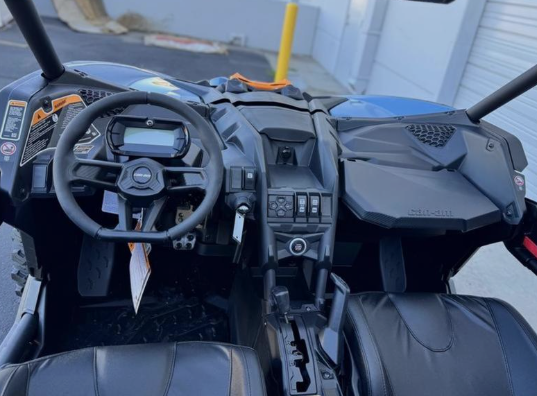
The Maverick X3 cab geometry is more complex than a Honda Talon or Polaris RZR. The dash is tighter and more driver-angled, and the column isn’t easily adapted for flat bracket mounting without planning.
Two approaches that work well:
Roll cage mounting. The Maverick’s cage is ROPS-certified and structurally sound as a mounting surface. Cage-specific AMPS clamp mounts position the tablet at driver eye level without occupying dash space. This works particularly well on the 4-seat Maverick R configuration where dash real estate is shared.
A-pillar mounting. Third-party A-pillar brackets for the X3 exist in the aftermarket and accept AMPS-compatible mounts. This positions the tablet high and forward, in the driver’s sightline without requiring cage hardware.
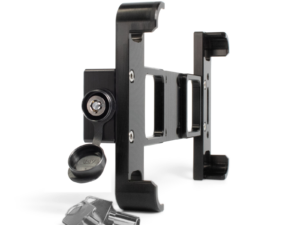
In both cases, the AMPS mounting pattern — 30mm × 38mm — is the standard to match. ATP’s mount kit is compatible with either approach through standard AMPS-to-clamp adapters already common in the X3 aftermarket.
Power hardwiring on the X3 is straightforward. The vehicle has a switched accessory circuit accessible without major panel removal on most X3 configurations. The ATP Pro Pack hardwire cable connects to this circuit, keeping the tablet charged at full brightness throughout a full ride day.
What to Think About Before Installing
A few practical points that come up specifically on the Maverick.
Harness clearance. The X3 is a performance machine — most owners run a harness. Confirm your mount position doesn’t put the tablet directly in front of the harness buckle or intrude on the driver’s exit path.
Intercom and audio wiring. Many Maverick owners run PCI or Rugged Radio intercom systems. Map your cable routes before installation so the tablet power cable doesn’t cross audio wiring or create interference near the radio.
Dust from the driver-side vent. On some X3 configurations, air enters near the driver’s left leg and exits across the dash. Mount the tablet in a position that doesn’t sit in the primary airflow path — sustained airborne dust in the display connector isn’t an issue with IP68 sealing, but it’s worth noting for cable connection points.
4-seat vs. 2-seat configurations. The Maverick R (4-seat) has more dash space and a different cage geometry than the 2-seat X3. Mount location recommendations vary by configuration — what works on an X3 RS doesn’t necessarily translate directly to an R.
The Navigation Stack Worth Running
If you’re setting up a Maverick for serious trail use, here’s the combination that gets the most from a dedicated navigation tablet.
Primary app: onX Offroad — preferred in most of the Southwest and Rocky Mountain riding areas. Trail system coverage is the best available, and the group ride sharing features work well when your crew uses it consistently.
Backup: Gaia GPS — worth having installed and a base region downloaded. Where onX has strong ownership data, Gaia has stronger topo detail for high-alpine terrain. Riders doing multi-day trips often run both.
Factory GPS: keep it active — BRP’s Group Ride feature is genuinely useful for convoy riding in terrain where riders can get separated. Running the factory GPS alongside the tablet gives you group positioning on the factory display and full trail navigation on the tablet without any conflict.
This two-device approach — factory GPS for vehicle integration, dedicated tablet for navigation — reflects how serious Maverick riders are actually setting their machines up.
Frequently Asked Questions
Does the Can-Am Maverick X3 come with GPS?
Yes. The 2026 Maverick X3 includes a built-in GPS module with BRP GO! app integration and Group Ride capability. The 2025 Maverick R also came with a GPS module, but without Group Ride support unless upgraded. Older models require a GPS module add-on.
Can I use onX or Gaia GPS on a Can-Am Maverick?
Not through the factory system — BRP’s navigation runs its own software. To run onX, Gaia, or other third-party navigation apps on your Maverick, you need a separate Android device. A dedicated navigation tablet mounted in the cab is the most practical approach.
What’s the best tablet mount for a Can-Am Maverick X3?
Roll cage mounts and A-pillar brackets using the AMPS standard (30mm × 38mm) work best for most X3 configurations. Avoid adhesive and suction mounts — X3 vibration levels will loosen them. The ATP Pro Pack mount uses AMPS hardware with rubber vibration isolators designed for sustained vehicle vibration.
Will adding a tablet affect the factory GPS system?
No. A dedicated navigation tablet runs independently on its own power circuit and GPS receiver. It doesn’t connect to or interfere with the vehicle’s factory display or GPS module. Both systems operate in parallel.
Is the ATP Rugged tablet compatible with Can-Am Maverick R models?
Yes. The ATP Rugged tablet mounts via AMPS-compatible hardware, which works with cage mounts and A-pillar brackets available for both 2-seat X3 and 4-seat Maverick R configurations. Cable routing specifics vary by model.